Performance Dashboard 2.0
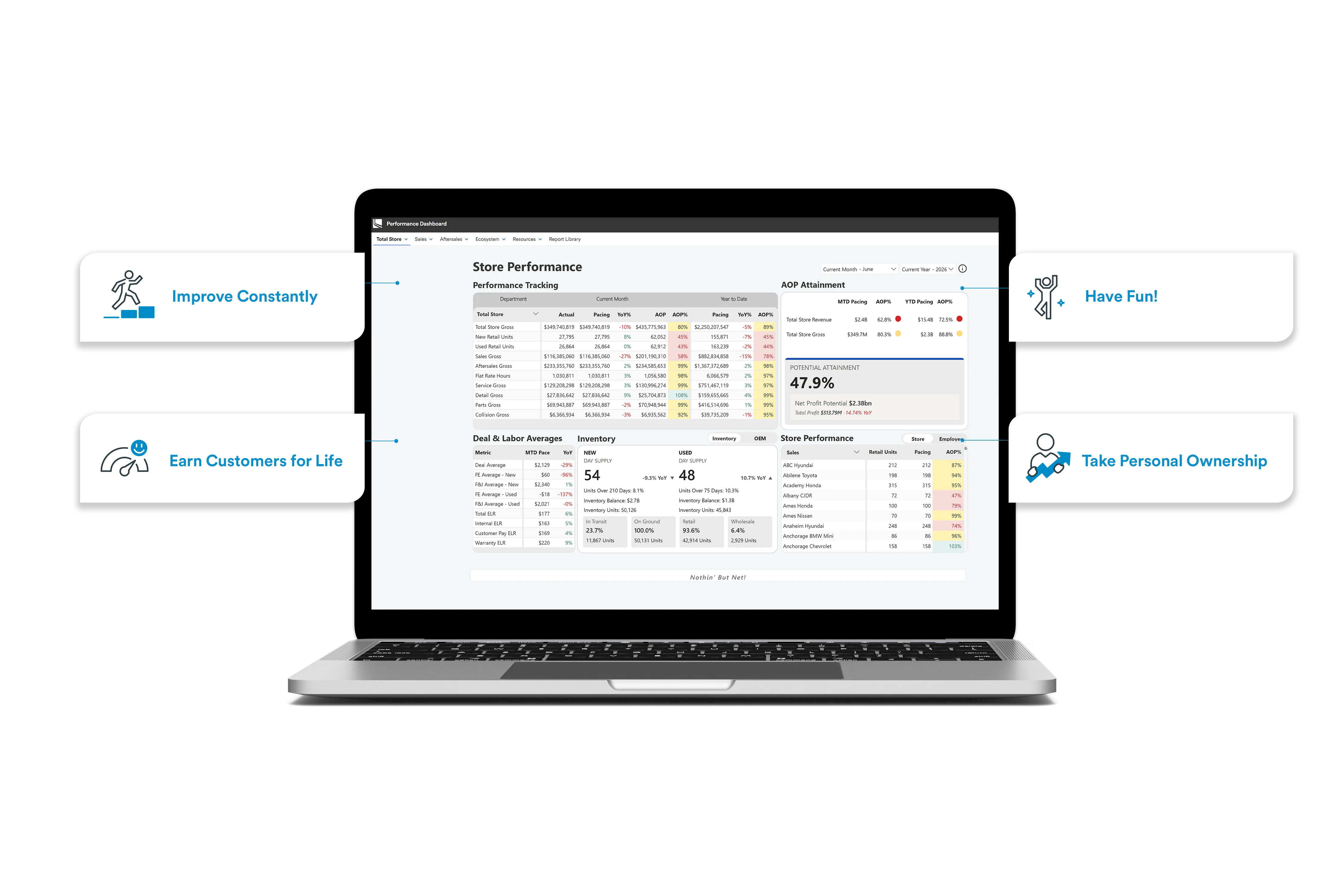
Performance Dashboard 2.0 offers an updated user experience to engage with the reports and metrics you’re already familiar with. The navigation is more intuitive, the data is more reliable, and this tool has been built on a modernized foundation set up with the future in mind–so we can Improve Constantly.
Schedule

Q3 2026
F&I Log launches on Performance Dashboard 2.0
Q4 2026
Retirement of Performance Dashboard 1.0

Focus on What's Important
PD2.0 is streamlined based on extensive user feedback. The new Dashboard environment is intuitive, easy to understand, and focused on what’s most important.

Empowering Teams with Access to Information
Simplified access via the LAD App Launcher provides streamlined access and greater visibility to information, meaning store teams can leverage peer performance to understand Best Practices to drive high performance

New & Improved Application Functionality
As part of the PD2.0 relaunch, several enhancements have been implemented to improve both functionality and performance. Recent updates include Store Performance Dashboard widgets and visualizations, and improvements to application refresh performance. View Resources below to see what's changed!
Frequently Asked Questions

Training Video
Helpful Materials

Each section of the Performance Dashboard ties to our core values. Performance tracking helps us Improve Constantly; YoY Same Store comparison is how we measure Earning Customers for Life; achieving results in our AOP Attainment is a way to Have Fun!; and overall Store Performance guides us on how we can Take Personal Ownership.